Registry search guidance
With our Registry search, you can:
- Search all of our product registers for key entity details by key word or entity number
- You can refine your search with the filter function
- Order copies of certificates, public documents and certificates of good standing
- Online (PDF) copies will be emailed immediately on receipt of payment
- Manually certified documents will be printed, signed and dispatched by post within two working days.
For all entities you are able to place full reliance on the key entity details displayed on the search and the Certificates of Good Standing.
A review of public documents for Foundations is in progress to ensure all public documents are available via the search.
If you have any queries or want to share any feedback with us on this search you can speak to a member of our team by emailing [email protected]
We will continue to enhance the search. We are working in adding:
- Ability to search on Reserved Names and Unregulated Funds
- Digitally certified documents
Completing an entity search – via Jersey Registry home page
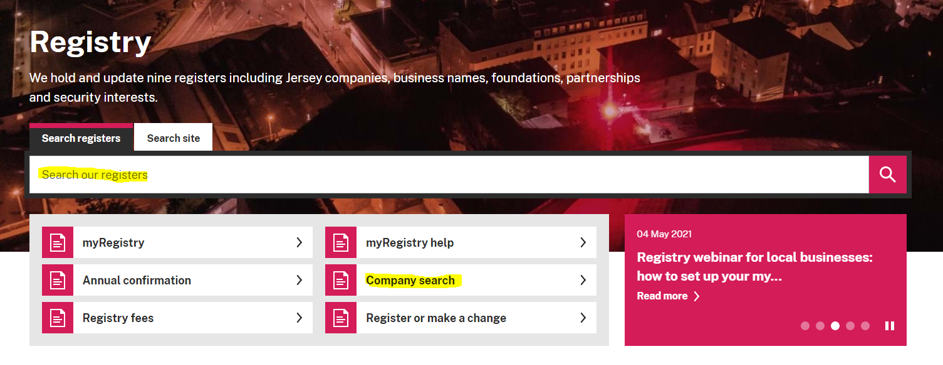
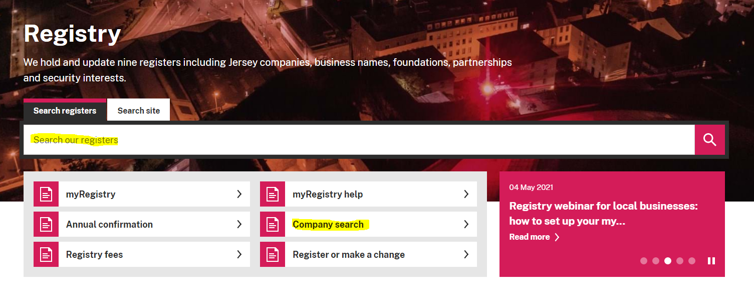
Go to the Jersey Registry homepage to access the entity search function. You can use the ‘Search our registers’ bar or click into the ‘Company Search’ option. Both options will provide the same search results.
Completing an entity search – via your myRegistry account
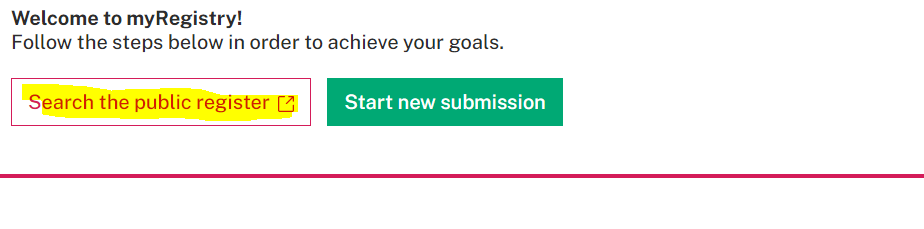
If you have a myRegistry account you can access the search once you are logged in. You can access the search from your myRegistry landing page. This will ensure that all purchased documents are saved to your MyRegistry account for future reference.
It will also enable the pay by account option (available to TCB & FSBs only).
How to Search the Registers

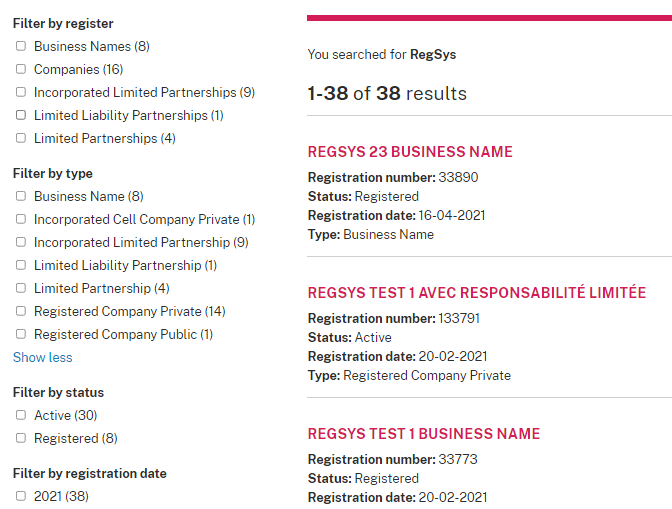
You can search by name, registered number and previous name. Your search results will be displayed as below. You can then refine your search by selecting relevant options to filter.
Current entity names are displayed in pink. Previous names are displayed in grey.
Click on the entity name to access the entity details and available certificates and public documents.
How to assign documents to your basket and complete your payment
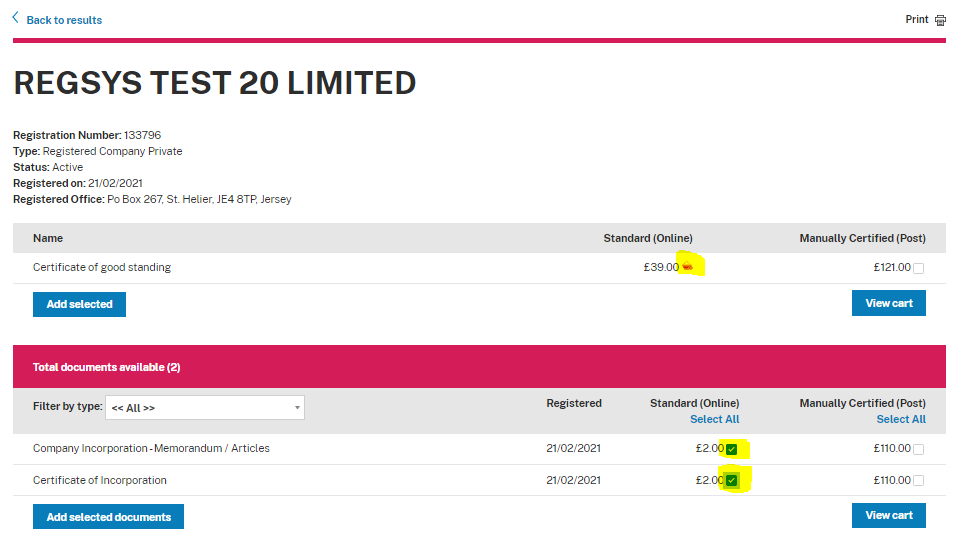
To select certificates or documents click on the box next to your selection and the blue ‘Add selected’ and / or ‘Add selected documents’ buttons. Once you have added an item to your basket, a pink basket icon will appear next to it. The ‘View cart’ button will then be available.
To view your cart click on the ‘View cart’ button or the pink basket available on the top menu bar.

On the basket screen you can review basket contents and remove items, if required. You also have the option to proceed to checkout.
If you have accessed the Registry Search from the Jersey Registry homepage (below) and are not logged onto myRegistry, your documents will be emailed to you, but will not be stored in your myRegistry account. Document links in emails are only available for 14 days.
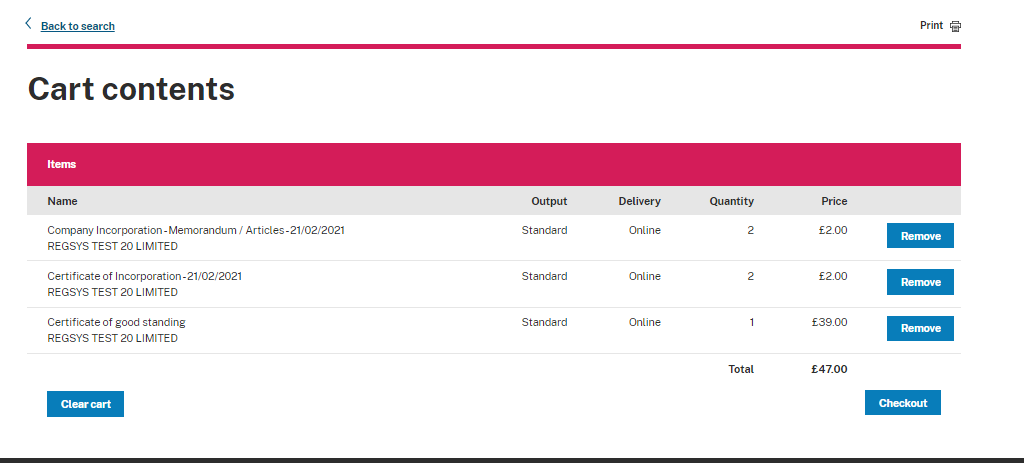
Clicking the Checkout screen will take you to your MyRegistry payment page.
Click the ‘Proceed to payment’ button to make a payment.
Please do not use the ‘Search the public register’ link on this page as this will take you to the existing public search. If you have not logged onto myRegistry you will also lose the details of your search.
When you have paid for your basket your request will be processed:
- If you selected online documents these will be emailed to you immediately and saved on myRegistry, if you were logged on when you purchased the documents.
- If you selected manually certified documents these will be printed, signed and dispatched by post within two working days of order.
Certificates of Good Standing
Certificates of Good Standing will be available for all active entities that have completed all required prior years (2020 and before) annual returns, submitted accounts if relevant and have a valid registered office.
Accessing previously purchased documents
Previously purchased online documents will be stored on your myRegistry account if you were logged on to myRegistry at the time of document purchase.
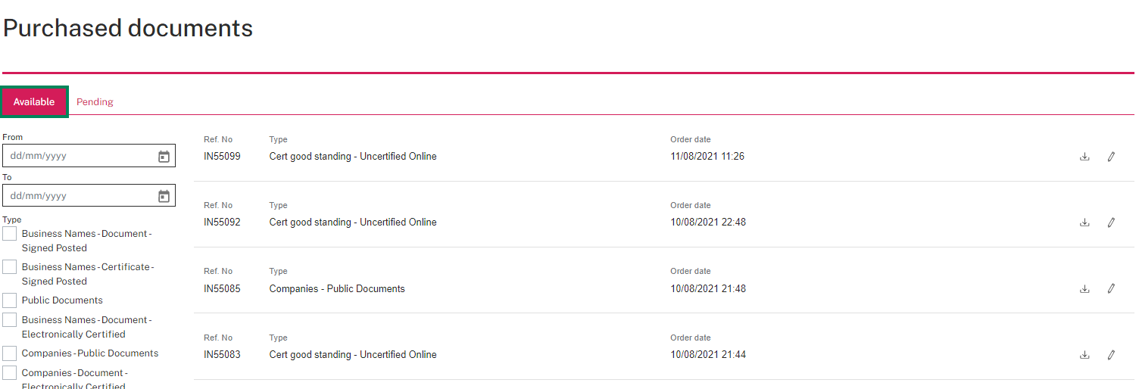
To access previously purchased documents select purchases from the top menu line and then select purchased documents.
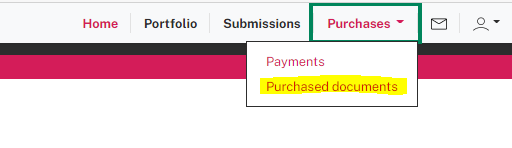
You will then be able to set filters to search for documents previously ordered and download the document.